
Help and Support » Record and Sync
Suunto
Suunto App Auto Sync
Setup Auto-Sync
-
Go to “Automatic Sync”
-
Click on “Connect”

-
Sign into your Suunto App Account
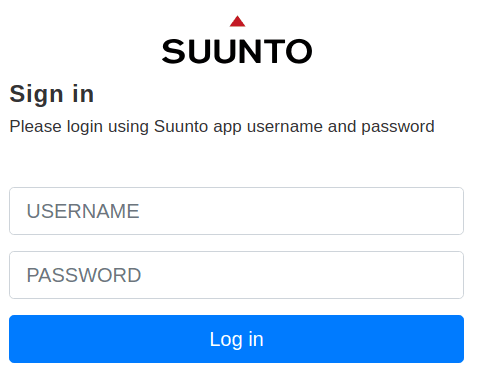
-
Authorize RUNALYZE to access your Suunto App activities
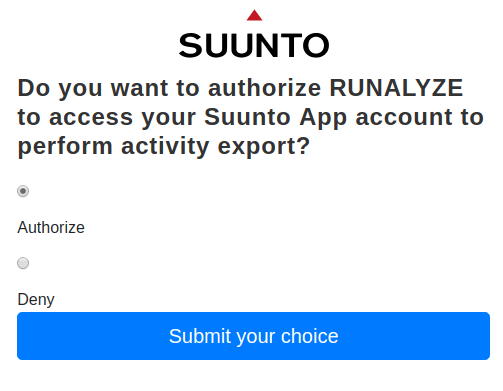
FAQ
Can I synchronize my Movescount history to RUNALYZE?
Well, yes – in a manual way. Please create a Data Export at Movescount (http://www.movescount.com/settings#export) and upload that ZIP file via our uploader. We will import your activity history for you into your account.
I cannot login into my Suunto App account
There could be several reasons:
- You need a Suunto App account. Check if your login is working at sports-tracker.com
- If you log in to the Suunto App via Facebook, you have to set a one-time password on https://www.sports-tracker.com/ so that you can log in to the Suunto log-in form with your username and password. We have already contacted Suunto about this. They will hopefully support the direct Facebook login soon.
My Suunto watch is not yet compatible with the Suunto App. Do I have another option?
It depends: If you have an iOS device, you can use the Rungap app to synchronize your activities from Movescount to RUNALYZE. Suunto is trying to find a solution for this. As long as no solution has been found, the Movescount platform will continue to exist.
How can I disconnect the connection to Suunto?
Click on “Remove connection”. That’s all.

Can I synchronize my entire activity history?
Yes - Just use the Tool which is linked at the "Synchronisation" page.
Related articles
Didn't find an answer to your question?
Please let us know if you have wishes or have encountered bugs. We give our best to make Runalyze as good as possible for you. - Therefore we would be interested in your suggestions for improvement. In general most questions, problems and ideas are more appropriate to ask in the forum.
 Follow us